Verify Without Risk: Using Delegate with Collab.Land


What if you could fully participate in token-gated communities - without ever exposing your main wallet or vault? That’s exactly what Delegate, powered by delegate.xyz, makes possible.
Instead of connecting your main wallet or vault (cold wallet) directly, you can assign a separate wallet to act on its behalf. This “delegate” wallet lets you verify ownership, claim utilities, and access communities while your assets stay safely locked away.
The delegate wallet can prove ownership of assets in the vault, but it cannot move or access anything inside the vault wallet.
Still your keys, still your crypto.
How does it work?
This guide assumes you have already created a delegation using Delegate. If you have not done this yet, visit the site and assign a hot wallet delegate for your cold wallet vault first:
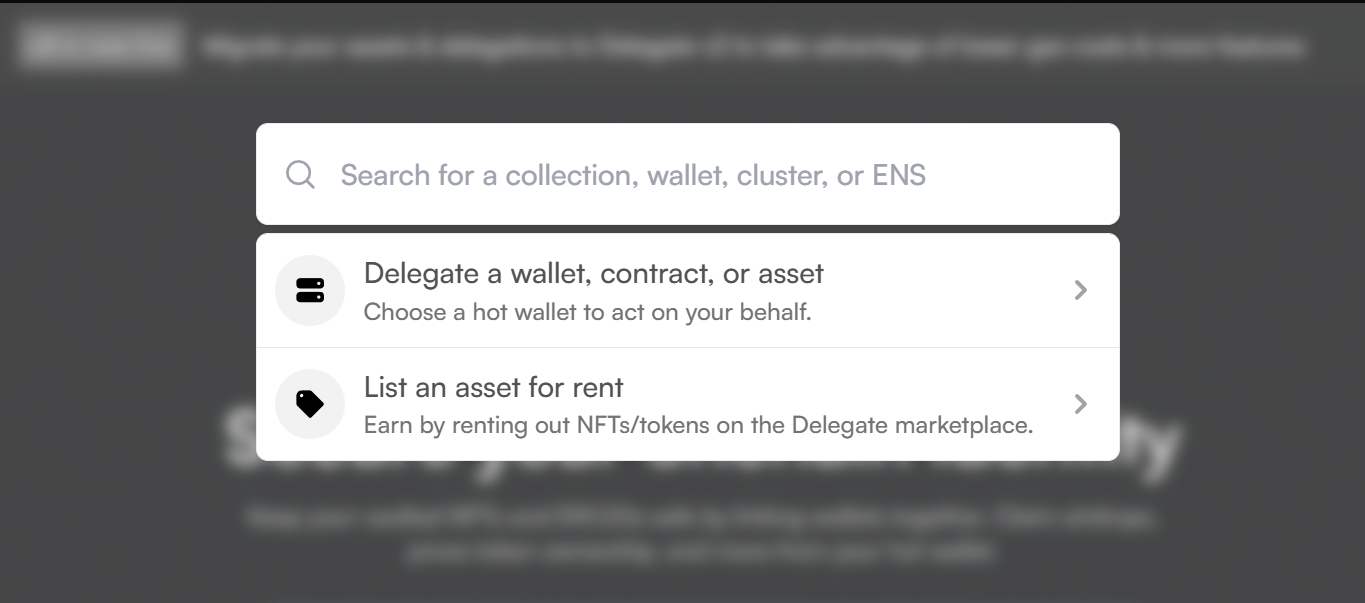
Once your delegation is set up, you can verify in Collab.Land using the delegate wallet.
Let’s walk through the process.
STEP ONE: Go to the community you want to verify in
Open the Discord server where you want to verify and gain access to token gated roles.
Find the Collab.Land verification channel and click the "Let’s go!" button to begin.
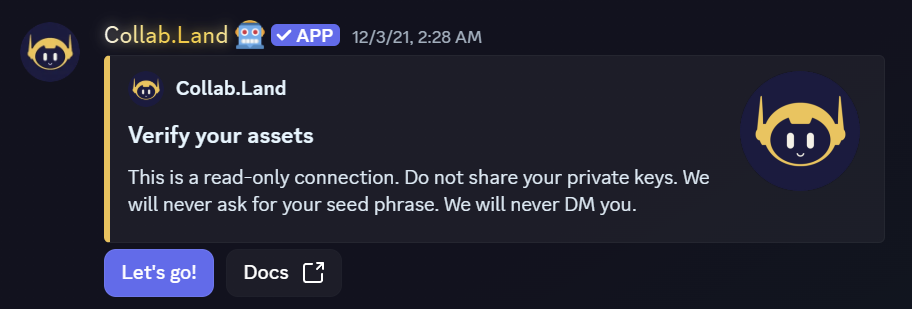
STEP TWO: Add a new wallet
You will see your wallet options inside the verification flow.
Click "Add a New Wallet"
STEP THREE: Connect your wallet
Next, click "Connect Wallet" to start the wallet connection process.
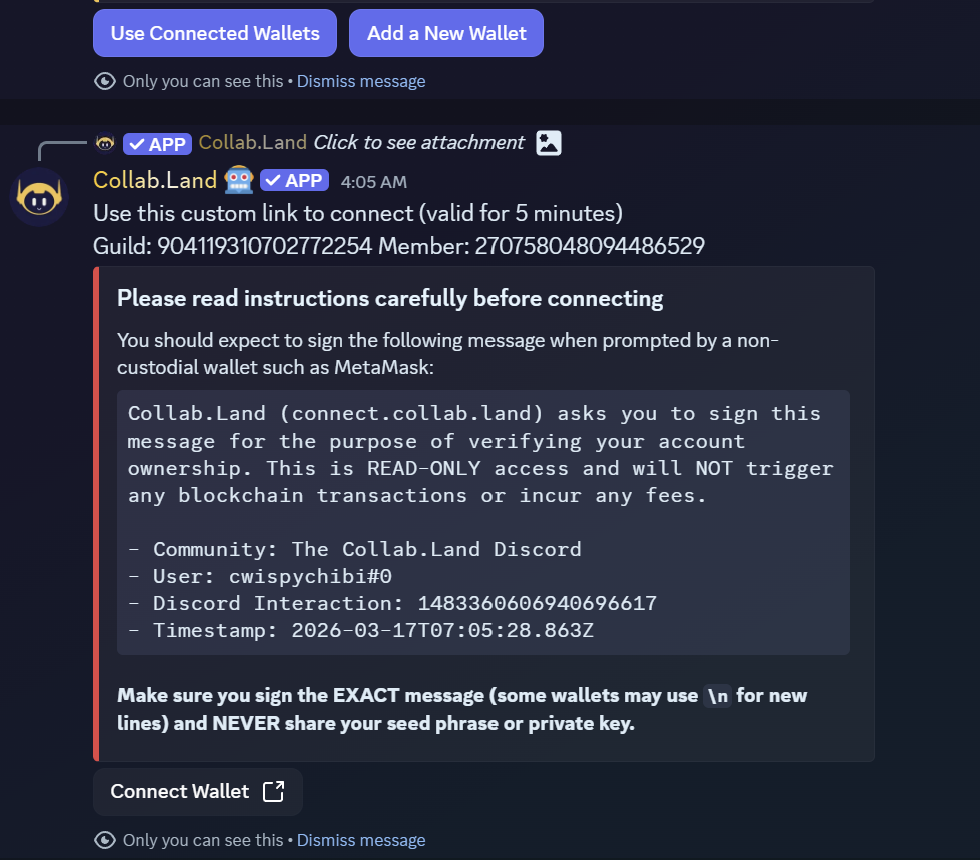
STEP FOUR: Confirm the verification site
You will now be redirected to the Collab.Land wallet verification site.
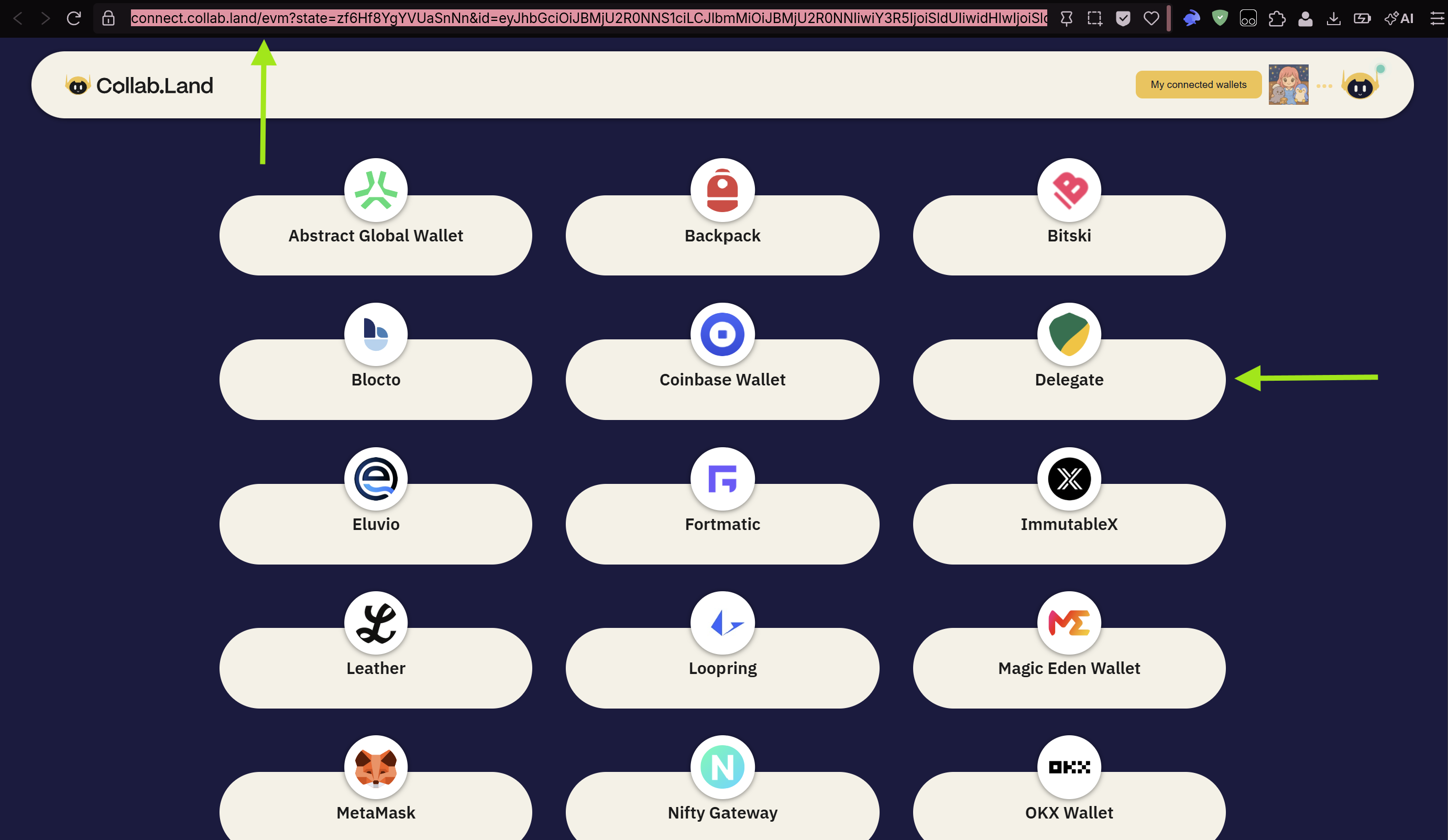
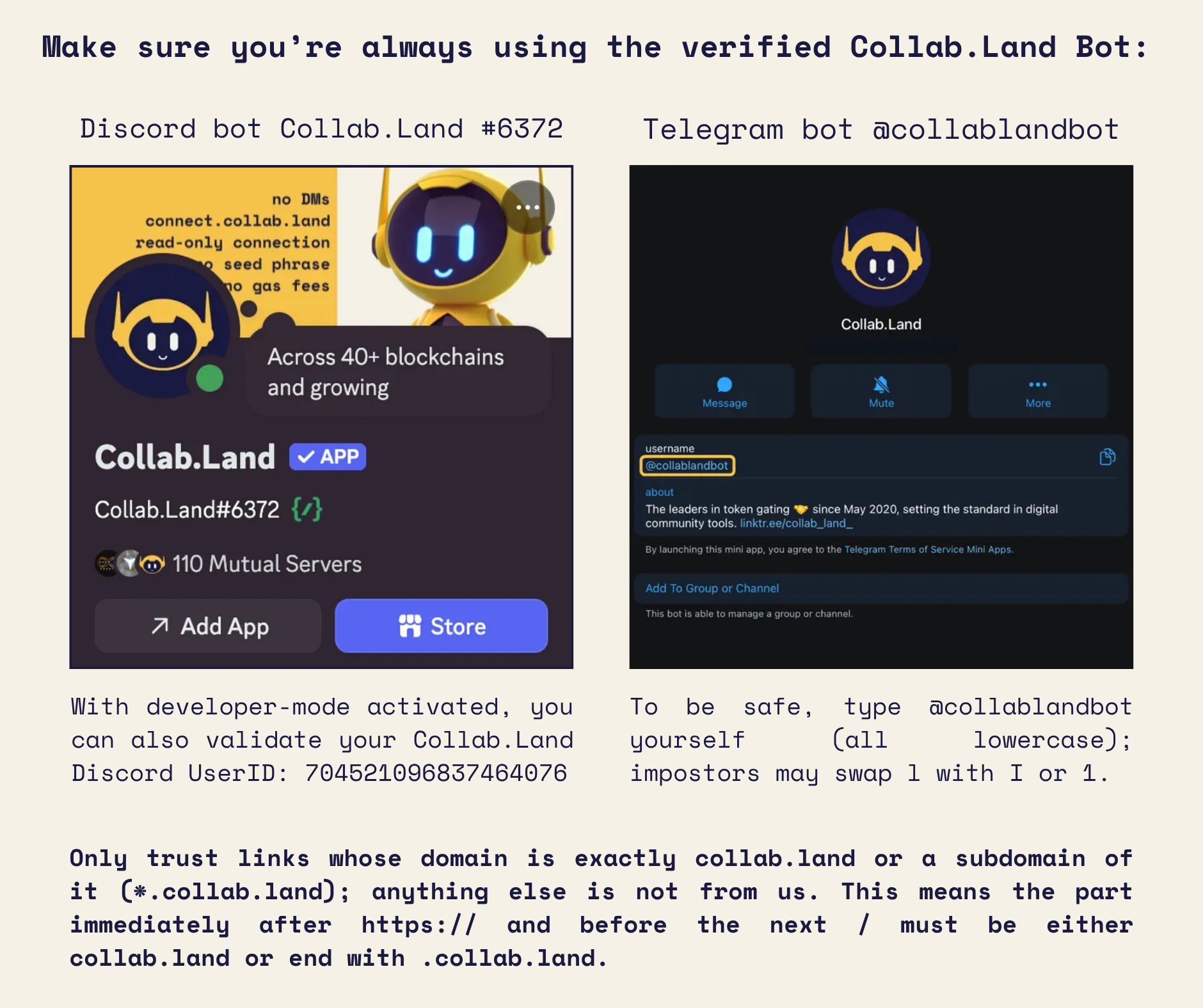
The only official Collab.Land verification domain is: https://connect.collab.land/
Verification links are customized for each user session, but they will always begin with something like: https://connect.collab.land/evm?...
Always double check that the URL starts with connect.collab.land before connecting your wallet.
STEP FIVE: Select Delegate
On the wallet connection page, you will see several wallet options.
Choose: Delegate
STEP SIX: Connect your delegate wallet
Select the wallet you are using as your delegate wallet and connect it.
This should be your hot wallet delegate, not your vault wallet.
STEP SEVEN: Sign the verification message
You will be asked to sign a message to confirm ownership of your delegate wallet.
Important:
This signature is only performed with your delegate wallet. Your vault wallet will never be asked to sign during this verification process.
STEP EIGHT: Select your delegated vault wallet
After signing, Collab.Land will display the wallets that have delegated access to your connected delegate wallet. Choose the vault wallet address you want to verify for this specific community.
No additional signing is required here. Collab.Land reads the delegation stored in the Delegate registry to confirm that your delegate wallet can act on behalf of the vault.
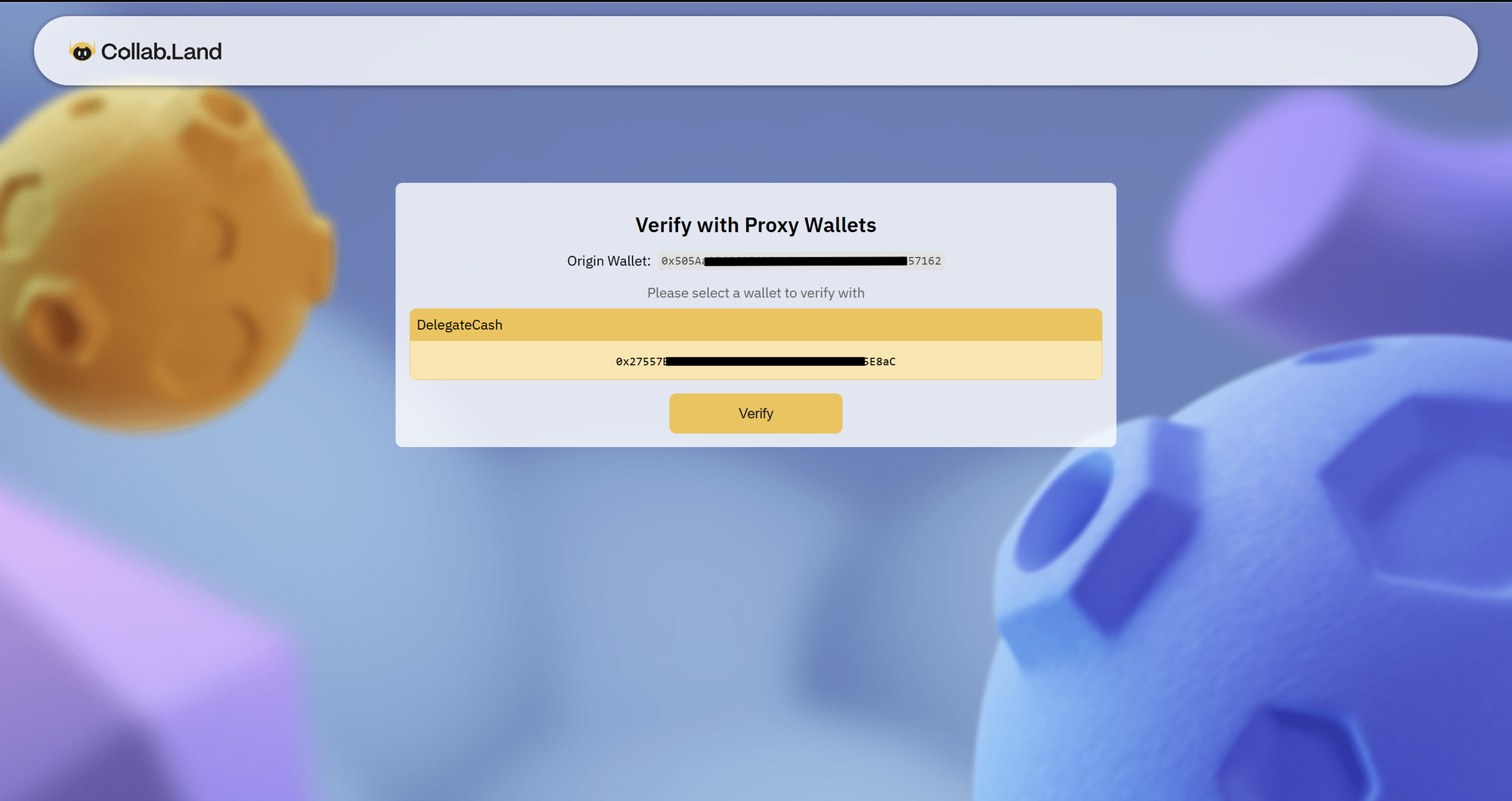
STEP NINE: Verification complete!
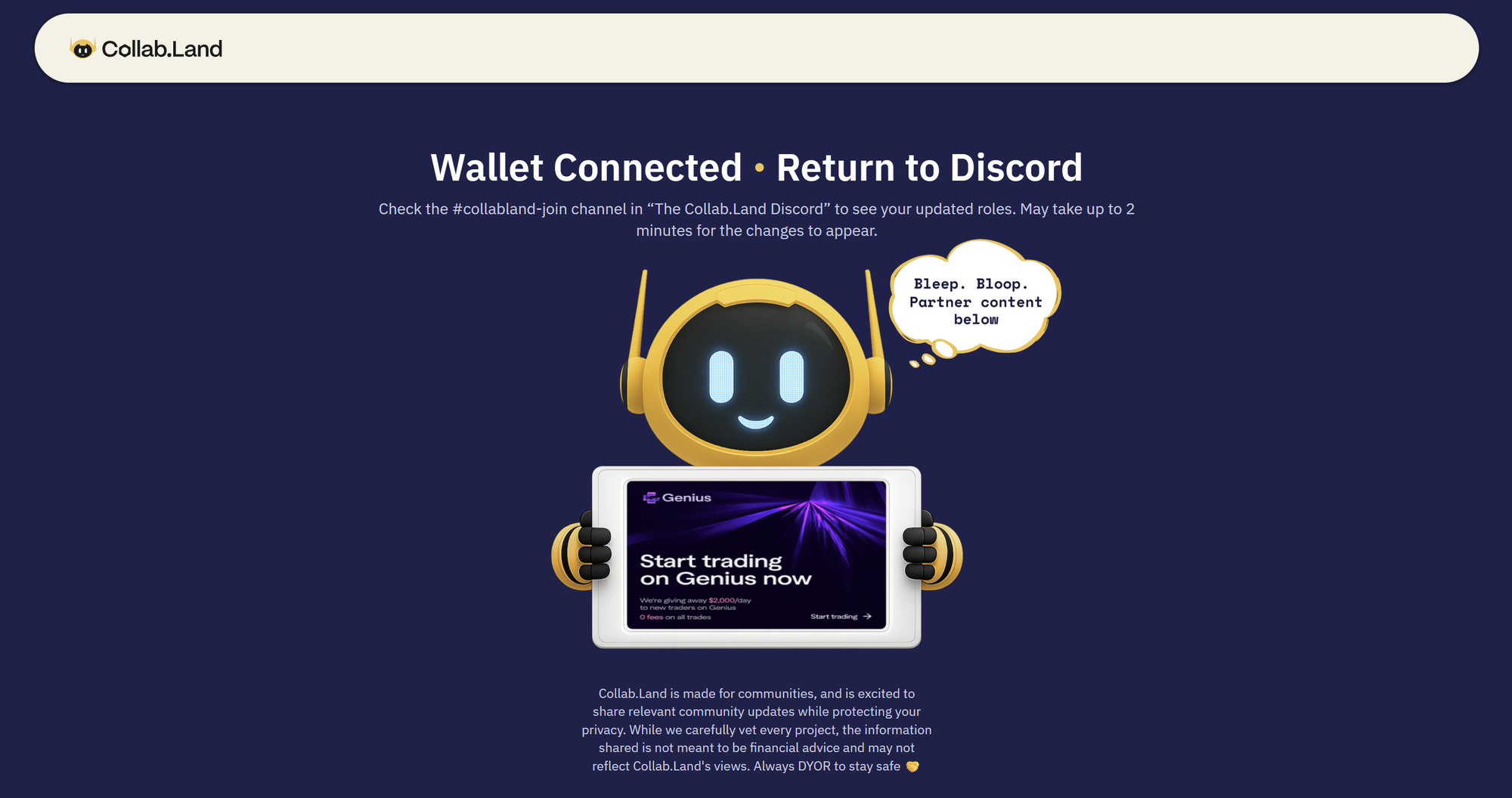
Once the process is finished, return to the Discord server.
Your roles will be assigned based on the assets held in the vault wallet you selected.
You are now verifying safely using Delegate, keeping your vault secure while still participating in your communities 🫶
ps. This works for Telegram too. The same Delegate verification flow applies in Telegram communities powered by Collab.Land. Instead of a Discord verification channel, look for the collablandbot. Tap the verification link it provides, and you will be directed to the same connect.collab.land verification site. From there, follow the same steps: select Delegate, connect your hot wallet delegate, sign the verification message, and select your main/vault wallet. Your access will be granted based on the assets in your vault. No exposure required.
Collab.Land token gating and membership verification operates as a read-only application. By signing a message to add a new wallet, you affirm ownership of that particular wallet address. Collab.Land solely accesses public blockchains to verify that a member’s wallet addresses are linked to the required tokens for role or group membership. Collab.Land maintains no access beyond reading public wallet addresses, which are transparent to all users.