Solana NFTs on Collab.Land: How It All Works
Solana NFTs come in many shapes and forms.
There are different standards, different filters, and different ways to identify your collection.
The good news? Collab.Land supports it all.
In this guide, we will walk through how to set up Token Gated Rules (TGRs) for every type of Solana NFT we support and help you choose the right configuration for your collection.
How does it work?
When creating a TGR for a Solana NFT, you will need to choose how your NFT is identified.
- Regular NFTs require selecting a filter
- Compressed NFTs (cNFTs) and Metaplex Core NFTs use a collection address
Getting started
The initial setup is the same for all Solana NFT types.
STEP ONE: Open the Command Center
Go to https://cc.collab.land
STEP TWO: Select your server
From the left panel, choose the server where you want to create the TGR
STEP THREE: Create a TGR
Click "TGRs" and then "+ Select Role"
Choose the Discord role you want to assign
STEP FOUR: Enter basic details
- Description: Internal description for your TGR
- Chain Type: Solana
From here, the setup will vary depending on the type of NFT you are working with.
Regular Solana NFTs
For regular NFTs, you will need to select a filter in the token details step.
Token configuration
- Token Type: Solana NFT
- Select a filter
Collab.Land offers two filters:
Creators
This is the most commonly used filter when working with a collection of NFTs.
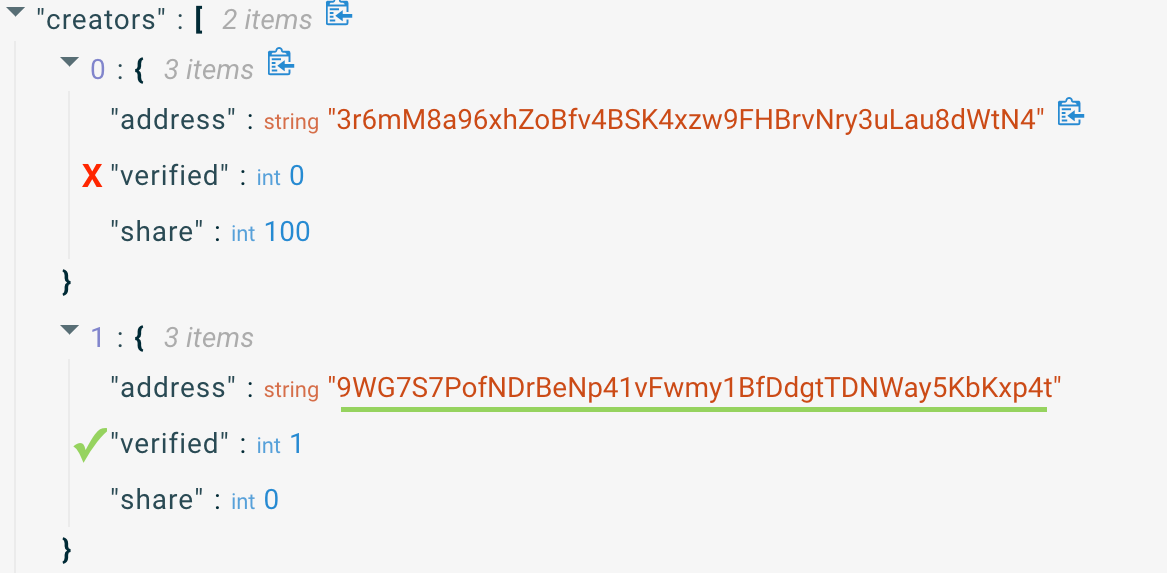
To find the verified creator address:
- Go to Solscan
- Open any NFT from your collection
- Navigate to the Metadata tab
- Locate the Creators section
- Copy the address that has
"verified": 1beneath it
Master Editions
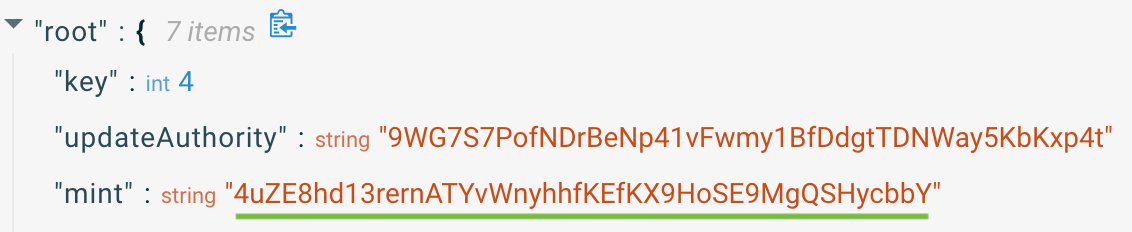
Use this filter when specifying a group of limited editions.
To find the address:
- Use the mint address
- If it does not work as expected, try the collection key address
If you are unsure which filter to use, start with Creators, as it is the most commonly used option.
Compressed NFTs (cNFTs)
Compressed NFTs use a collection-based setup.
cNFTs on @solana let you mint thousands of NFTs at a fraction of traditional costs - and yes, we fully support them for token gating!
— 🦾 Collab.Land 🤖 (@collabland) March 4, 2026
More accessible communities. Same powerful access control 🔐
Get started → https://t.co/slAjSH0H5J pic.twitter.com/vx54t5g09g
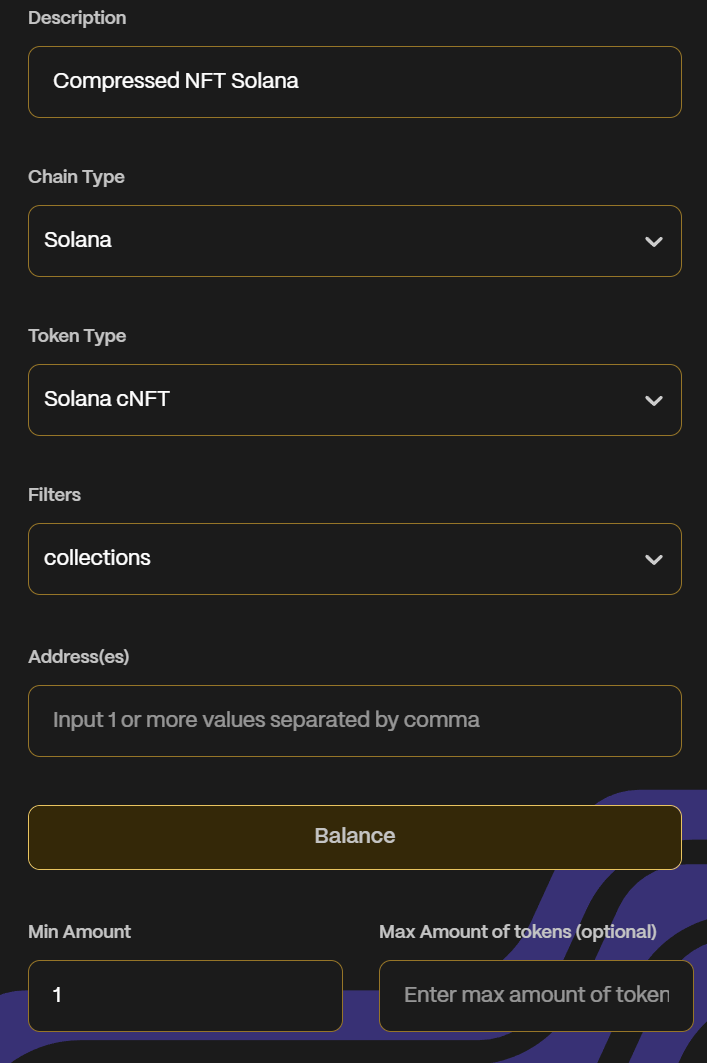
Token configuration
- Token Type: Solana cNFT
- Use the collections option
- Enter the "On-chain Collection" address
- Enter a max amount of tokens (optional)
- Click Save
Metaplex Core NFTs
Metaplex Core NFTs also use a collection-based setup.
CollabLand now supports @Metaplex Core NFTs! Solana communities using Metaplex Core can create special roles and access for holders on Telegram and Discord with safety and ease.
— 🦾 Collab.Land 🤖 (@collabland) February 3, 2026
Admins, learn to set up TGRs: https://t.co/RyPxWIG63m
Get started today 🤝 pic.twitter.com/B59GQV3n8W
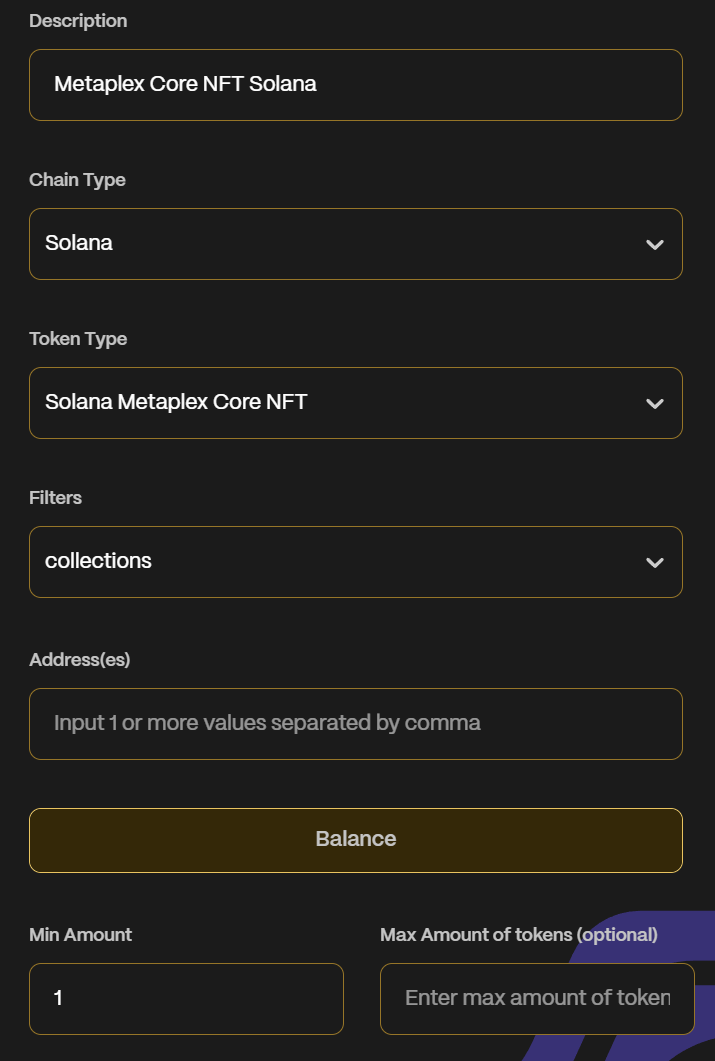
Token configuration
- Token Type: Solana Metaplex Core NFT
- Enter the "On-chain Collection" address
- Enter a max amount of tokens (optional)
- Click Save
Finding the collection address
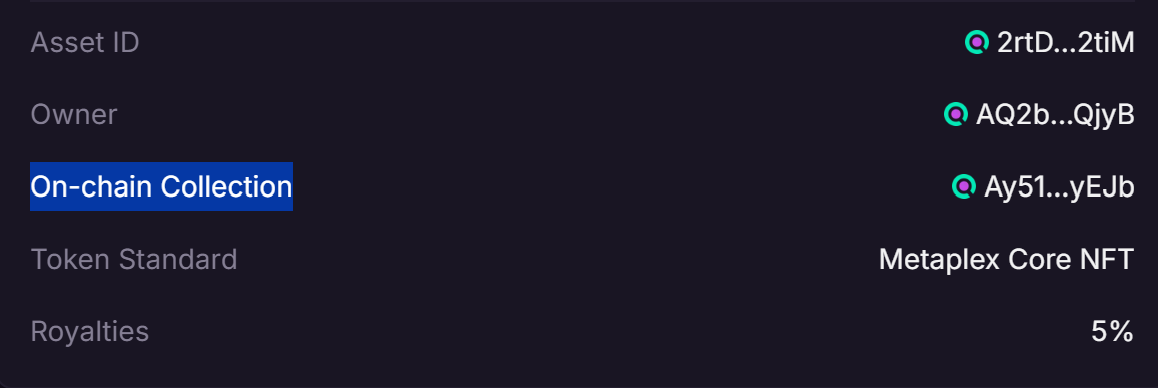
For collection-based setups, you will need the "On-chain Collection" address.
Option 1: Magic Eden
- Visit Magic Eden and navigate to your NFT collection
- Click on any NFT from the collection
- Locate the "On-chain Collection" address in the NFT details
Option 2: Solscan
- Visit Solscan
- Use the token address of the NFT collection
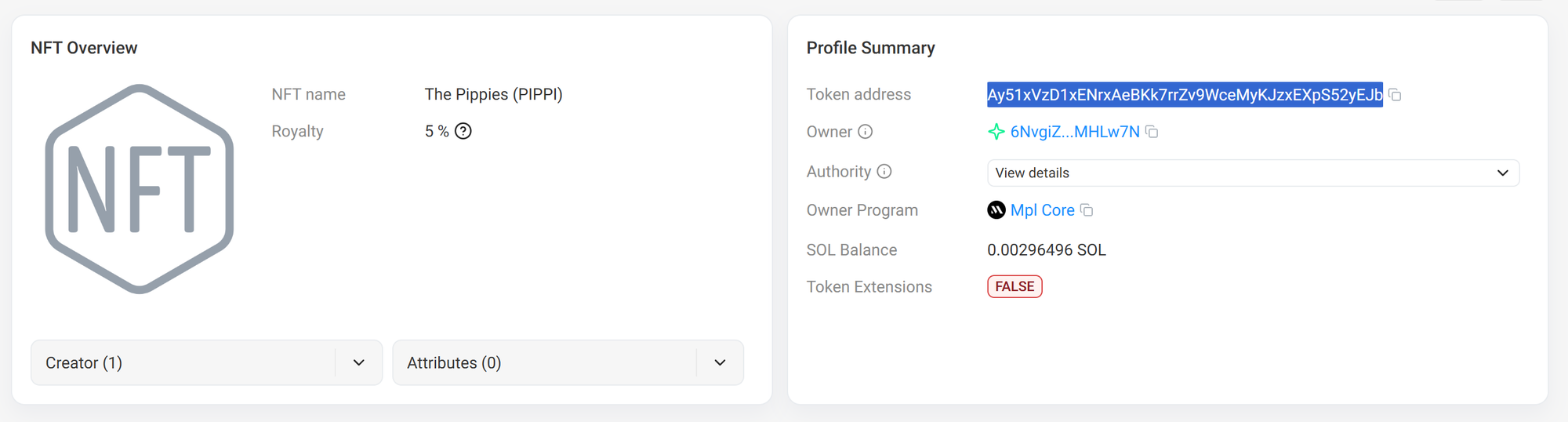
Note: Solscan does not always show Metaplex Core NFT holdings in your wallet.
You are all set!
Once your TGR is created, Collab.Land will assign roles to members who hold the correct NFTs.
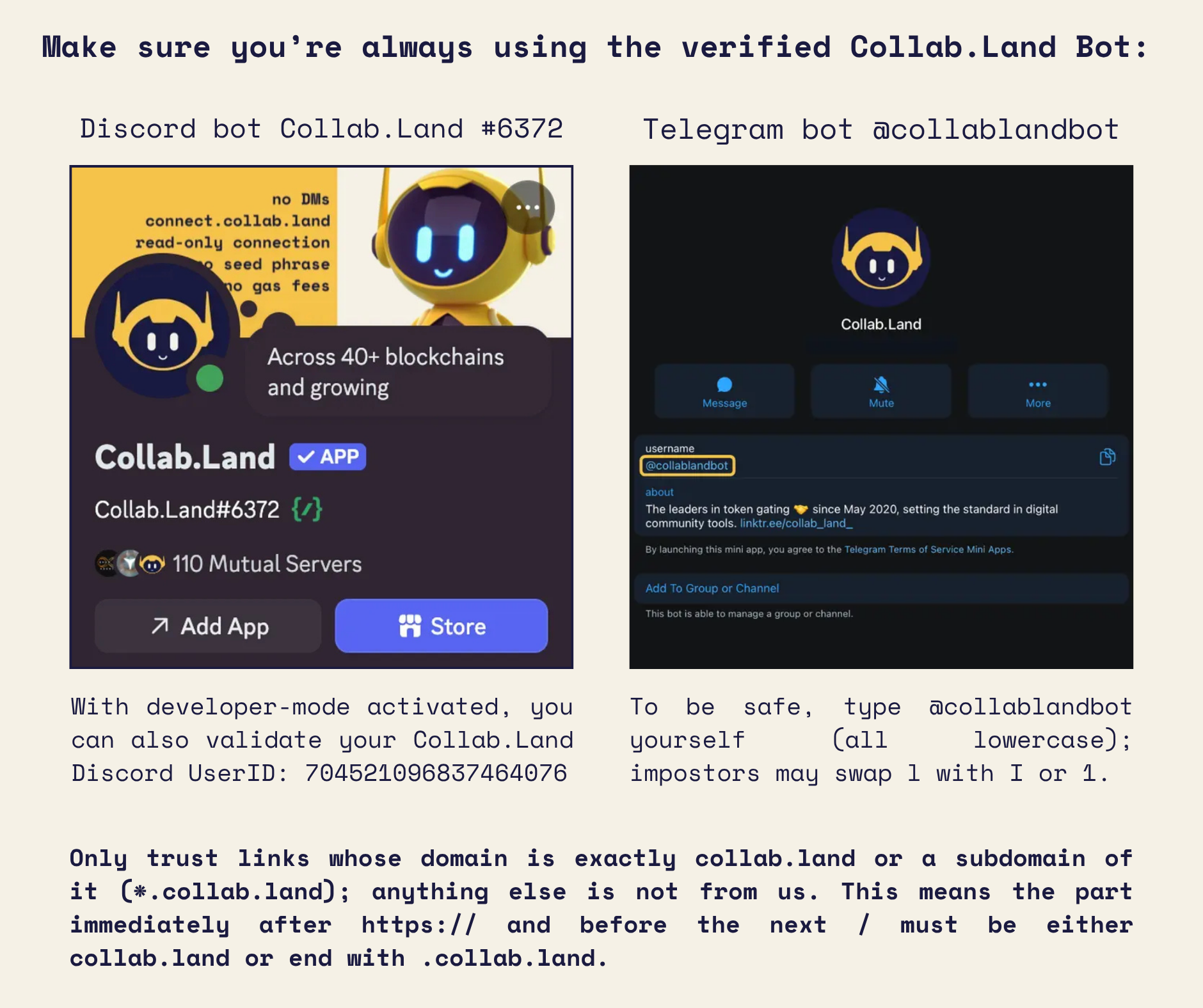
Collab.Land token gating and membership verification operates as a read-only application. By signing a message to add a new wallet, you affirm ownership of that particular wallet address. Collab.Land solely accesses public blockchains to verify that a member’s wallet addresses are linked to the required tokens for role or group membership. Collab.Land maintains no access beyond reading public wallet addresses, which are transparent to all users.